Skip to content
Artwork / Prepress Studio

Artwork Guidelines for Custom Football Shin Guards

Prepare your photo, name, number, text or artwork for a clear custom football shin guard design. SAIWEI SPORTS supports soccer-player photos, graphics, names, jersey numbers, text and different left/right images.

PhotoNameJersey NumberTextArtworkDifferent Left / RightDesign Preview
Quick Answer

Use the clearest original file available, keep important content away from areas that may need cropping, and check spelling before approving the design preview. Exact requirements for resolution, file format, bleed, safe area and upload size must follow SAIWEI SPORTS’ confirmed production specification.

Recommended Image Quality

Start with the best source file you have.

Source quality affects how much usable detail remains when the artwork is cropped, enlarged or adjusted to the shin guard shape.

Current Production Specification

Production spec pending
Accepted file formatsTo be confirmed by production
Recommended pixel dimensionsTo be confirmed by production
Minimum image resolution / DPITo be confirmed by production
Maximum upload file sizeTo be confirmed by production
Preferred color modeTo be confirmed by production
Vector file requirementsTo be confirmed by production
No generic printer specification is substituted here. These fields should only be replaced with SAIWEI SPORTS’ actual prepress values.
Photo Selection Tips

A phone photo can work — if the source is usable.

Choose the original image rather than a screenshot whenever possible. Avoid repeated compression, heavy filters and extreme digital zoom.

01
Clear main subject

The player or subject should be easy to identify and not extremely small in the frame.

02
Usable lighting

Avoid fully blown highlights or very dark areas with no recoverable detail.

03
Limited blur

Motion blur or missed focus reduces the detail available for printing.

04
More crop room

If possible, use a version with extra space around faces, logos and jersey numbers.

05
Original file

The original camera image is usually a better starting point than a social-media screenshot.
Better Source Image

More usable

Clear subject, more original detail, limited blur and enough surrounding image for flexible cropping.

Harder to Use

Needs review

Screenshot compression, strong blur, aggressive digital zoom or important content already cut off at the edge.

Personalization

Name, Number, Text — and different images on each guard.

These capabilities are confirmed. Available fonts, effects and character limits still need to follow the actual live customizer or design workflow.

Name, Number & Text

Before submitting personalization, verify the exact text you want to appear on the finished design.

  • Check exact spelling.
  • Check the jersey number.
  • Check capitalization and punctuation.
  • Decide whether the same text should appear on both guards.
  • Verify everything again in the design preview.
Font / text effects: production capability pending. Do not promise a specific outline, metallic effect or font until it exists in the real workflow.

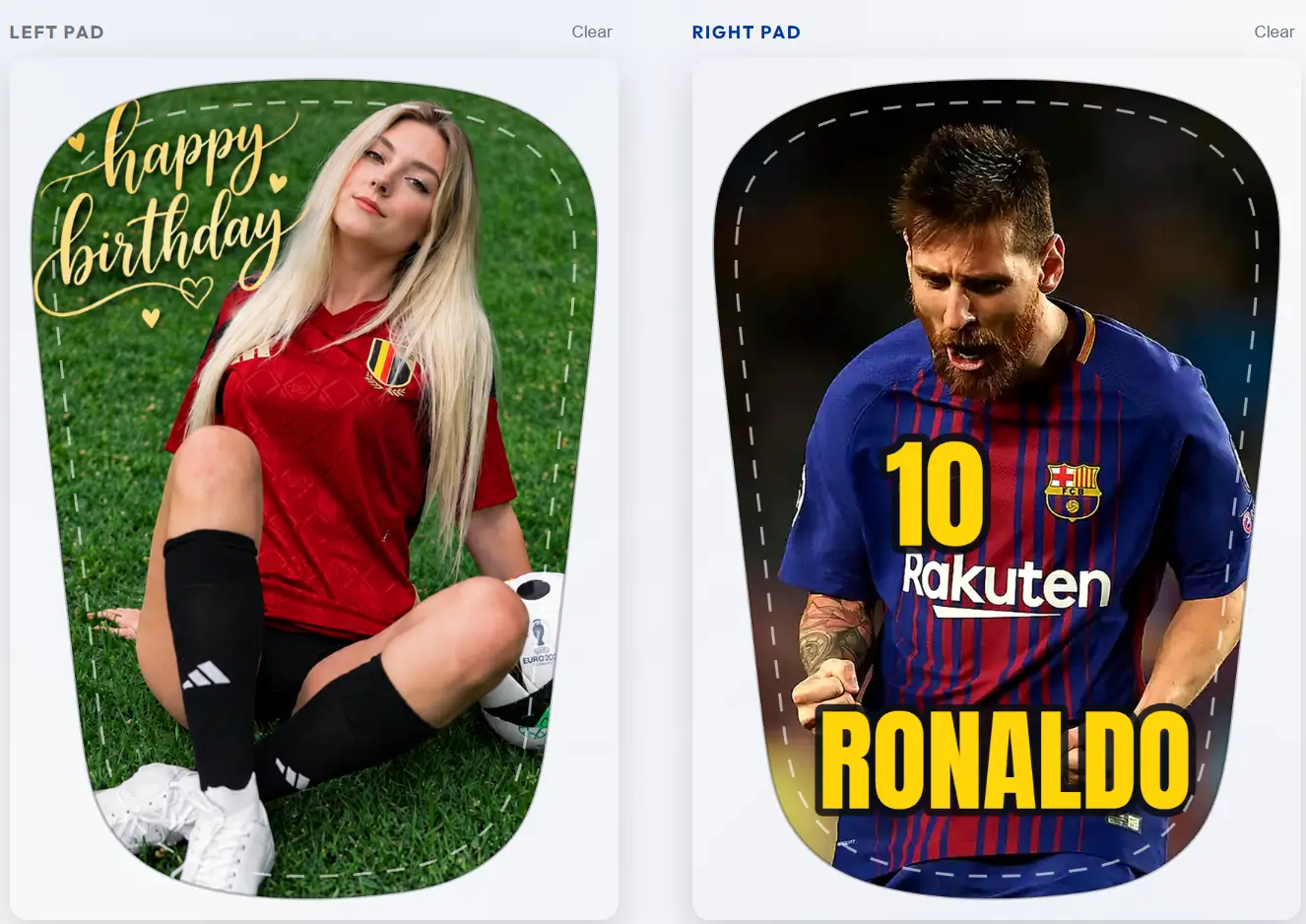
Different Images on the Left & Right

SAIWEI SPORTS supports one image on the left guard and another on the right. You can also combine a photo on one side with artwork, text, a name or a number on the other.

LEFT IMAGE
RIGHT IMAGE
See the complete customization process
Shin guard positioned over the shin and covered by a soccer sock
Artwork Placement & Cropping

Design for the shin guard shape — not just the source image.

Rectangular and square images may need to be cropped to fit the real product shape. Important details should have breathing room around them.

Production Template

The final template should identify the product outline, printable area, crop area, orientation, left / right guard, size name and template version.

Safe area: PendingBleed: PendingEdge clearance: PendingTemplate version: Pending
Current public rule: keep important faces, names, numbers and logos away from the extreme edge, then use the design preview to confirm the visible crop. Exact measurements must come from production.

Background Artwork

If your design uses a full background image, pattern or color, allow enough visual content around the important subject so the artwork can be adjusted to the guard shape without losing essential elements.

Preview & Proof

Your final visual checkpoint before production.

SAIWEI SPORTS provides a design preview before production. This is the place to confirm visible layout details before approval.

See how the order process works

Check the preview carefully

Photo / artwork used
Image cropping
Left / right orientation
Name spelling
Jersey number
Text and punctuation
Logo placement
Relative size of key elements
Revision policy status: exact revision count / fee rules are not confirmed in the current production brief. Do not assume unlimited free revisions.
Low-Quality Artwork

If the file does not contain enough usable detail.

The correct next step depends on the real production workflow. Upscaling may increase pixel dimensions, but it cannot restore detail that was never present in the source image.

Possible next steps

Only use the options below when they match the actual live workflow.

Upload the original photo instead of a screenshot.
Provide a higher-quality version.
Choose another photo.
Simplify or adjust the crop.
Replace a low-quality logo with a proper source file.
Review an adjusted design in the proof.
Workflow pendingThe exact contact / re-upload / proof procedure still needs operations confirmation. This page does not invent an automatic “fix” promise.
Guidelines vs Policy

File preparation and upload responsibility are separate.

Artwork Guidelines

This page explains how to prepare files: source quality, cropping, names / numbers, preview checks and production-spec boundaries.

Artwork Policy

The separate Artwork Policy covers authorization, upload responsibility, restricted content, rejection and related order rules.

Read the Artwork Policy
Before You Upload

A simple final check.

I am using the clearest original image available.
The main subject is not heavily blurred.
Important content is not already cut off.
I checked the spelling of every name.
I checked every jersey number.
I decided whether left and right should match or use different images.
I reviewed the current accepted file requirements.
I understand that artwork may need cropping to fit the guard shape.
I will review the design preview before production.
I own or am authorized to use the submitted content.
Artwork FAQ

Frequently Asked Questions

Technical preparation answers without inventing unconfirmed production specifications.

What image resolution should I upload?
Use the highest-quality original file available. SAIWEI SPORTS’ exact minimum pixel or DPI requirement must come from the current production specification. Until that value is confirmed, do not rely on a generic DPI number copied from another printing company.
Can I use a phone photo?
Yes. A phone photo can be suitable if the original image is clear, well lit and contains enough usable detail. Avoid screenshots, severe blur, heavy digital zoom and repeated compression.
Can the left and right shin guards use different images?
Yes. You can use one image for the left guard and another image for the right guard. You can also combine different text, names, numbers or artwork across the pair. Check both sides carefully in the design preview.
Can I add text, a name or a number?
Yes. Names, jersey numbers and text can be included in the custom design. Enter the exact spelling and number you want, and verify them in the design preview. Available fonts and effects depend on the actual customizer or design workflow.
What happens if my artwork is too low quality?
The next step depends on SAIWEI SPORTS’ production workflow. You may be asked to provide the original file, upload a higher-quality version, choose another image or review an adjusted crop. The production team should not promise that missing image detail can always be restored.
What artwork rules should I read before uploading?
Read both this Artwork Guidelines page and the separate Artwork Policy. The Guidelines explain technical preparation; the Policy covers upload responsibility, authorization, restricted content and rejection rules.

Upload Your Artwork

Prepare the clearest file you have, choose whether the left and right guards should match, add your name or number, and review the design preview before production.